In 2026, video is no longer a flat rectangle you watch; it is a space you enter. The rapid adoption of the Apple Vision Pro 2, Meta Quest 4, and lightweight AR glasses has transformed “Volumetric Video” from a niche VFX novelty into the standard format for immersive storytelling.
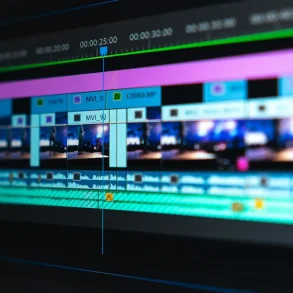
For creators, this shift is tectonic. The tools of yesterday—simple 2D timeline editors—are insufficient for a world where the viewer can walk around your subject. Today’s editors must handle Gaussian Splatting clouds, stream massive datasets over 6G, and use AI to repair mesh artifacts in real-time.
Whether you are a filmmaker creating a “holo-memory” for a documentary or a game developer populating a hyper-realistic NPC crowd, you need software that understands depth, physics, and spatial presence.
This guide ranks the 7 best tools for volumetric video editing in 2026, evaluated on their ability to handle the “Big Three” of modern spatial content: Capture Fidelity, Compression Efficiency (AVV/P), and Real-Time Streaming.
The Volumetric Landscape in 2026: What Changed?
Before we dive into the tools, it is critical to understand the technological leap we have taken since 2024.
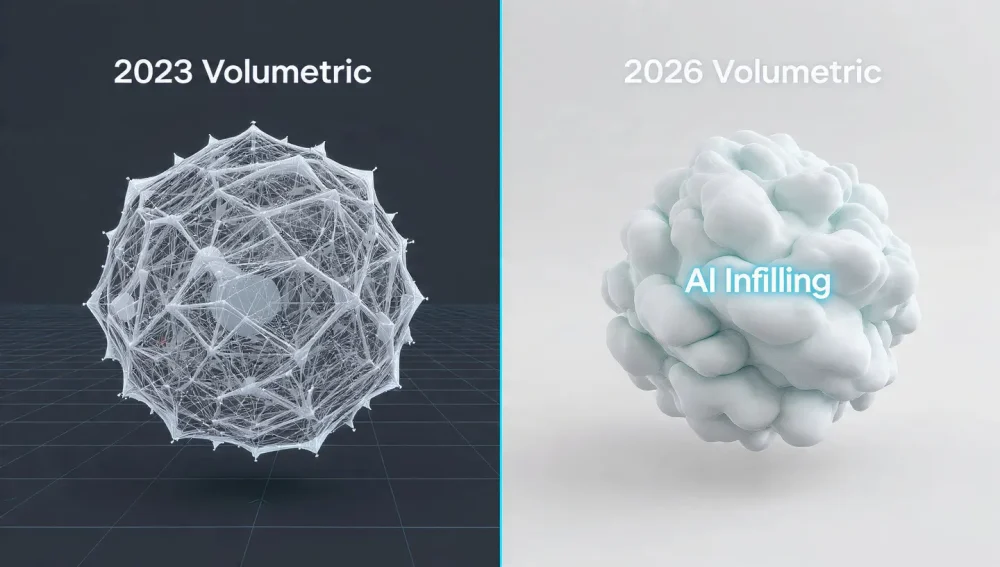
Top 10 Automated B-Roll Scrapers to Speed Up Your Documentary Edit- The Rise of Gaussian Splatting: Traditional polygon meshes are heavy and computationally expensive. In 2026, Gaussian Splatting has largely replaced mesh-based volumetric video for non-interactive backgrounds and static objects. It renders faster and looks photorealistic.
- AI-Driven Infilling: Missing data (occlusion) used to be a nightmare. Modern tools now use Generative Adversarial Networks (GANs) to hallucinate the “back” of a subject that the camera missed.
- Streaming Standards: The proprietary “walled gardens” are crumbling. New open standards allow you to edit in one tool and stream directly to WebXR browsers without a heavy app download.
1. Arcturus HoloSuite (The Industry Standard)
Best For: Professional Studios & High-End Broadcast
If Adobe Premiere is the king of 2D, Arcturus HoloSuite is the undisputed monarch of 3D. By 2026, Arcturus has solidified its dominance by perfecting the Accelerated Volumetric Video (AVV) codec, which allows massive holographic files to be compressed small enough for mobile streaming without losing texture fidelity.
Key Features
- Poly-to-Splat Workflow: Uniquely, HoloSuite 2026 allows you to import raw point clouds and choose your output: a rigged mesh for game engines or a Gaussian Splat for visualization.
- Non-Linear “Spatial” Editing: You can trim clips not just in time, but in space. The “Volumetric Crop” tool lets you slice off a subject’s surroundings in 3D space with a simple bounding box.
- Head Retargeting: Using AI, you can slightly alter the head tracking of a recorded actor to make them “look” at the VR user, increasing immersion.
| Feature | Rating |
|---|---|
| Compression | 10/10 (Best in Class) |
| Ease of Use | 7/10 (Steep Learning Curve) |
| Integration | Unreal, Unity, WebXR |
| Pricing | Enterprise Subscription |
Pro Tip: Use the HoloStream module to dynamically adjust LOD (Level of Detail) based on the viewer’s internet speed—crucial for 5G/6G mobile AR experiences.
Best Freeware MP3 Converter 2026: Top AI-Powered Tools Reviewed
2. SuperSplat (Best for Gaussian Splatting)
Best For: Web-Based Editing & Quick Cleanup
Gaussian Splatting took the world by storm, and SuperSplat (developed by the PlayCanvas team) emerged as the definitive editor for this medium. Completely browser-based, it requires no installation, leveraging WebGL 2.0 to handle millions of splats instantly.
In 2026, SuperSplat is no longer just a viewer; it is a full compositor.
Enterprise AI Video Localization Platforms 2026: The Ultimate GuideWhy It Wins in 2026
- No Install Required: Runs directly in Chrome or Safari on your Vision Pro or desktop.
- Splat pruning: Its “Sphere Select” and “Lasso” tools are incredibly intuitive for cleaning up the “floaters” (stray noise artifacts) common in AI-generated splats.
- Lightweight Export: It optimizes
.plyfiles into compressed.spzformats, reducing file sizes by up to 90% for web use.
Verdict: If you captured a scene with Luma AI or Polycam and just need to clean it up for the web, this is your tool.
3. Evercoast (formerly Depthkit)
Best For: End-to-End Indie Filmmaking
The acquisition of Depthkit by Evercoast was a turning point for the industry. The beloved indie tool “Depthkit” has been integrated into the Evercoast cloud ecosystem, creating a seamless pipeline from capture to cloud rendering.
Best App to Make Photo Slideshows in 2026: The Ultimate AI & Spatial Video GuideThe “Hybrid” Advantage
The 2026 iteration of Evercoast allows for Hybrid Capture. You can mix high-end studio data (from 8+ synchronized cameras) with depth data from a simple iPhone LiDAR scan. The software stitches them together, using the high-res textures from the phone to paint the geometry from the studio rig.
- Cloud Rendering: No need for a $10,000 workstation. Upload your raw sensor data, and Evercoast’s server farms process the volumetric mesh.
- Unity VFX Graph Integration: The plugin for Unity is best-in-class, allowing particles to react to your volumetric video (e.g., a hologram walking through digital smoke).
4. Unreal Engine 5.5 (The Immersive Compositor)
Best For: Interactive Experiences & Virtual Production
While technically a game engine, Unreal Engine 5.5 (and the upcoming 5.6 beta) is where 60% of all professional volumetric video is finalized. It is not just for games anymore; it is the NLE (Non-Linear Editor) for spatial content.
2026 Updates
- Native Splat Support: UE 5.5 finally introduced native support for Gaussian Splatting assets without third-party plugins, allowing them to cast shadows and receive lighting from virtual lamps.
- Neural VDBs: Unreal now supports “Neural Volumes,” a highly compressed fog-like format that represents video data.
- MetaHuman Animator Bridge: You can now drive a MetaHuman rig using low-res volumetric video capture, essentially using volumetric video as a high-fidelity motion capture suit.
5. PostShot (The Local Workhorse)
Best For: Photogrammetry Converts & detailed VFX
For those who prefer to keep their data offline and have powerful GPUs, PostShot is the preferred desktop application. It bridges the gap between traditional photogrammetry (like RealityCapture) and modern Radiance Fields (NeRFs/Splats).
Unlike SuperSplat (web-based) or Evercoast (cloud-based), PostShot runs locally. This makes it a favorite for adult content creators, defense contractors, and enterprise internal training, where data privacy is paramount. It offers arguably the most precise “training” parameters, letting you tweak how the AI interprets reflective surfaces—historically the Achilles’ heel of volumetric video.
6. SpatialScan3D (formerly EF EVE)
Best For: Live Streaming & Telepresence
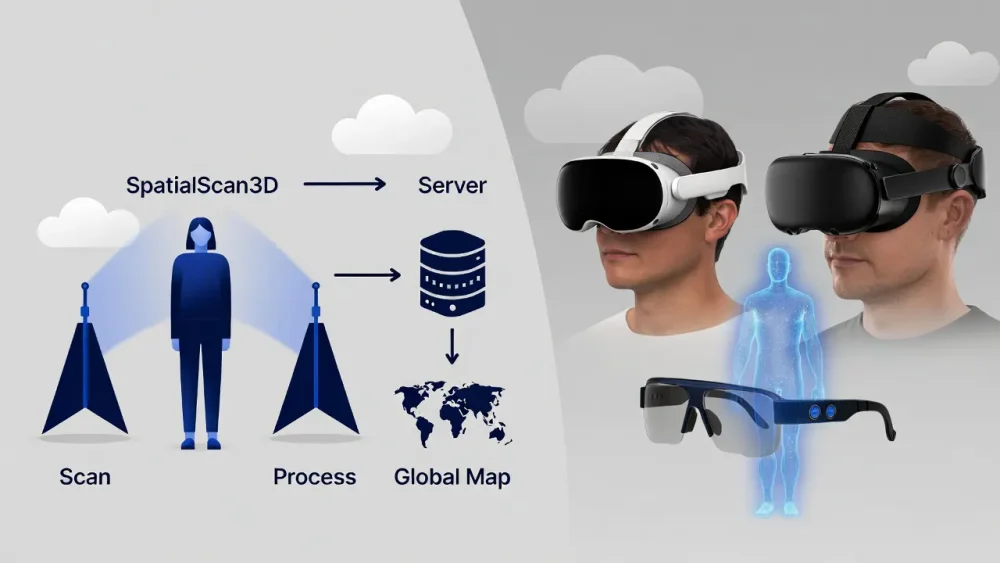
Following its acquisition by Djinn Technologies, the tool formerly known as EF EVE has been rebranded as SpatialScan3D. It has pivoted hard toward one specific niche: Live Volumetric Telepresence.
If you want to broadcast a live hologram of a CEO onto a stage in Tokyo from a studio in New York, this is the software stack you use.
- Latency: Boasts sub-200ms latency over standard fiber connections.
- Auto-Calibration: In 2026, you no longer need a checkerboard to calibrate cameras. SpatialScan3D uses computer vision to auto-align multiple sensor feeds in seconds.
- Format: Streams directly to WebXR, meaning viewers just click a link to see the hologram in their room.
7. Adobe After Effects + “Splat Importer”
Best For: Motion Graphics & 2.5D Compositing
We cannot ignore the classic. While Adobe has been slow to build a dedicated “Volumetric Editor,” the 2026 ecosystem of plugins keeps After Effects vital. The essential workflow for motion designers involves using the “Splat Importer” plugin (or similar connectors like VoluCam).
This allows you to bring a volumetric asset into AE’s 3D workspace. You can’t “edit” the mesh geometry here, but you can:
- Color grade the hologram using Lumetri.
- Add 3D text that orbits the volumetric subject.
- Composite the hologram into 2D footage for “Mixed Reality” trailers.
For the vast majority of commercial work (ads, social media clips), you don’t need a full spatial engine—you just need After Effects with the right plugins.
Comparison Table: Which Tool is For You?
| Software | Best Use Case | Platform | Pricing Model |
|---|---|---|---|
| Arcturus HoloSuite | High-End Studio Production | Desktop | Subscription |
| SuperSplat | Cleaning Web Scans | Web Browser | Free / Open Source |
| Evercoast | Indie Filmmaking / Unity | Cloud + Desktop | Usage-Based |
| Unreal Engine 5.5 | Interactive Games/VR | Desktop | Free (Royalty) |
| PostShot | Local / Privacy-Focused | Windows | One-time License |
| SpatialScan3D | Live Telepresence | Desktop | SaaS |
| After Effects | Motion Graphics / Ads | Desktop | Subscription |
FAQ: Navigating Volumetric Video in 2026
Yes. Unlike 360-degree video (which is a flat bubble you are stuck inside), volumetric video allows 6 Degrees of Freedom (6DoF). You can lean in, walk around, and look behind the subject.
You need a “Player” SDK. Most tools on this list (Arcturus, Evercoast, SpatialScan3D) export a file wrapper that you can embed into a Unity or Web app. The viewer’s device (e.g., Vision Pro) decodes the stream in real-time.
Yes, but with limits. SuperSplat runs on iPad via the browser. For heavy processing, the iPad usually acts as a “controller” for a cloud-based render session.
Not anymore. Tools like Evercoast and PostShot use AI “background matting” to remove your living room instantly. However, for professional studio quality (like HoloSuite), a green screen is still recommended to prevent artifacts.
Think of Volumetric Video as the umbrella term. Traditionally, it used Polygons (like video game characters). In 2026, Gaussian Splatting is a new format of volumetric video that uses millions of fuzzy blobs of light instead of hard polygons. Splats look more realistic for photos, while Polygons are better for physics and animation.
Ready to build the future? Start by scanning your room with a Gaussian Splat app and importing it into SuperSplat to get a feel for spatial editing.