In 2026, the humble photo slideshow has evolved. We are no longer just stitching JPEGs together with a “Ken Burns” effect and a stock acoustic guitar track. Today, “slideshows” are intelligent, spatial, and immersive experiences.
Whether you are a creator generating content for TikTok’s holographic feed, a professional photographer delivering an H.266/VVC portfolio, or a family historian preserving memories for the Apple Vision Pro, the tools you use matter more than ever.
This guide is your definitive resource for navigating the 2026 landscape of photo slideshow apps. We move beyond basic editors to explore AI co-creators, spatial computing tools, and the industry standards defining the future of digital memory.
🏆 Top Slideshow Apps You Should Know About (2026 Edition)
If you want the quick answer, here is the breakdown of the top performers across every category.
| Category | Winner | Why It Wins in 2026 | Cost |
|---|---|---|---|
| Best Overall | Adobe Express | Seamless Firefly AI integration, H.266 export, and cross-device syncing. | Freemium / Creative Cloud |
| Best for Social | CapCut | Dominates short-form video with viral templates and auto-beat sync. | Free / Pro Sub |
| Best for AI Video | Sora / Runway | Turns static photos into realistic, motion-rich video clips (Image-to-Video). | Paid Credits |
| Best for Spatial/VR | Spatial Media Toolkit | Converts 2D slideshows into immersive MV-HEVC files for Vision Pro. | One-time Purchase |
| Best for Simplicity | Google Photos | “Memories” feature now uses generative AI to narrate and organize automatically. | Free / Google One |
The Evolution of Slideshows: What Changed in 2026?
Before we dive into the apps, it is critical to understand why the old recommendations (like generic “Slideshow Maker” apps with watermarks) are obsolete.
Beyond the Screen: 7 Best Tools for Volumetric Video Editing in 20261. From “Editor” to “AI Co-Creator”
In 2024, you had to manually select photos and pick transitions. In 2026, apps use Semantic Understanding. You can upload 500 wedding photos and type: “Create a 3-minute emotional highlight reel focusing on the bride’s parents, set to a slow tempo.” The AI identifies the subjects, analyzes facial expressions for emotion, and syncs the cuts to the beat automatically.
2. The Rise of Spatial Video (MV-HEVC)
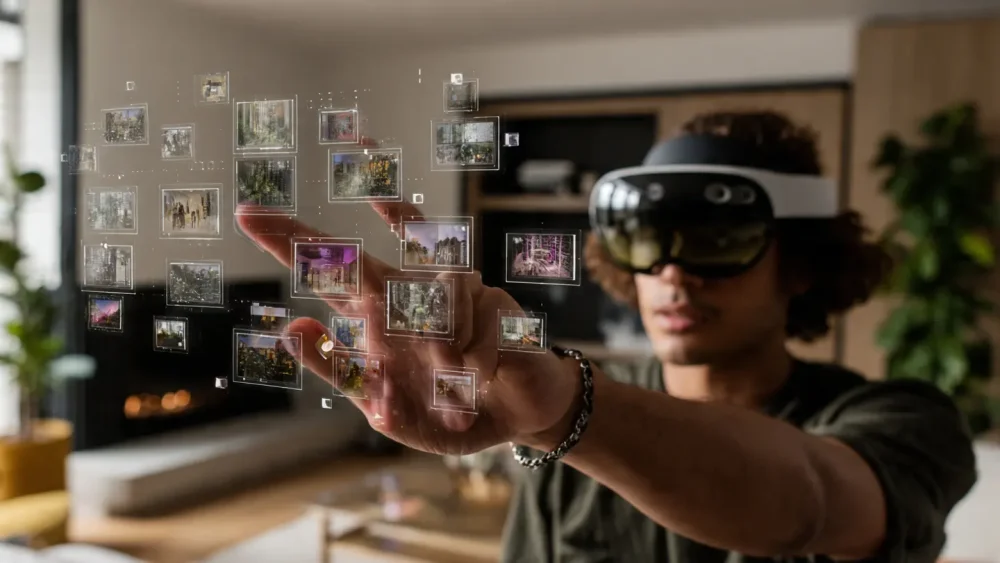
With the mass adoption of headsets like the Apple Vision Pro and Meta Quest 4, flat video is losing ground. The best apps now support MV-HEVC (Multiview High Efficiency Video Coding), allowing your slideshows to have genuine depth. When viewed in a headset, the photos float in 3D space.
3. Efficiency with H.266/VVC
The new Versatile Video Coding (H.266) standard has finally hit the mainstream. It offers the same quality as H.265 at half the file size. Top-tier apps now export in this format, which is essential for sharing high-resolution 8K slideshows without clogging cloud storage.
25+ Best CapCut Alternatives in 2026: The Ultimate List of AI, Mobile, and Desktop Editors1. Best Overall: Adobe Express (The Professional Standard)
Adobe Express has successfully replaced the complex workflows of Premiere Pro for 90% of users while retaining professional power.
Why It’s #1 in 2026:
- Adobe Firefly Integration: Use “Generative Fill” to expand vertical phone photos into horizontal 16:9 cinematic shots without cropping essential details. The AI invents the missing background realistically.
- Brand Consistency: For businesses, it locks fonts, logos, and color grades across all slides automatically.
- Ecosystem: Starts on your phone, finishes on your iPad. It seamlessly pulls raw images from Lightroom CC without quality loss.
Pros:
- Generative AI features are industry-leading.
- No watermarks on the free tier (basic features).
- Supports 4K and VVC export.
Cons:
Is Apple Creator Studio Making Art Better, or Just Faster?- Premium assets require a subscription ($9.99/mo).
- Can feel “heavy” on older mobile devices.
2026 Forecast: Expect Adobe to roll out “Neural Audio Mastering” late this year, which will automatically mix voiceovers with background music so you never have to adjust volume levels manually.
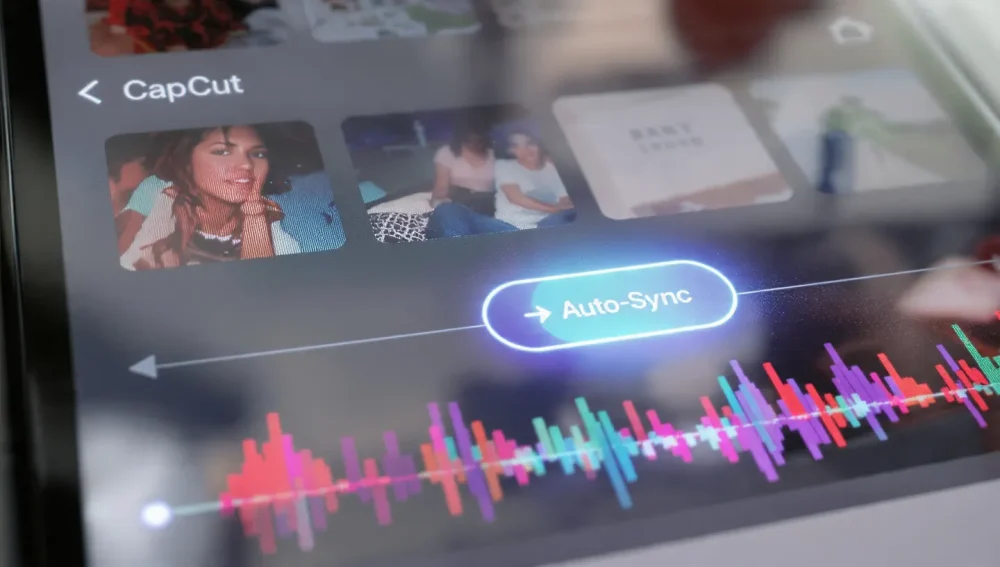
2. Best for Social Media: CapCut (The Viral Engine)
If your goal is TikTok, Instagram Reels, or YouTube Shorts, CapCut remains the undisputed king. Owned by ByteDance, it has faster access to viral trends than any other platform.
Key Features:
- Auto-Cut: Select 10 photos, and CapCut instantly syncs them to trending audio tracks.
- Smart Velocity: It automatically adds “slow-mo” or “speed-ramp” effects to static images to create dynamic movement (the “3D Zoom” effect has evolved into “Holographic Parallax”).
- Template Library: Thousands of user-generated templates that are updated daily.
Pros:
OpenUSD Collaboration Tools for Remote Video Teams: The 2026 Ultimate Guide- Incredibly fast workflow.
- Massive library of licensed music.
- Best-in-class text animations.
Cons:
- Privacy concerns regarding data usage remain a hot topic.
- Desktop version is less intuitive than the mobile app.
3. Best for AI Generation: Runway Gen-3 / Sora (The Magic Makers)
These are not traditional slideshow makers; they are Image-to-Video generators. Instead of panning across a still photo, these tools animate the photo itself.
How It Works:
You upload a photo of a beach sunset. The AI recognizes the water and clouds and animates them. The waves crash, the clouds drift—all from a single JPEG.
- Runway Gen-3: Offers “Motion Brush” where you paint over the area you want to move (e.g., paint over a dress to make it blow in the wind).
- Use Case: Perfect for “Cinemagraph” style slideshows that feel like high-budget video productions.
Pros:
- Unmatched “Wow” factor.
- Creates video content where none existed.
Cons:
- Expensive (credit-based system).
- Render times can be slow compared to standard editors.
- steep learning curve for prompting.
4. Best for Spatial & VR: Spatial Media Toolkit (The Future Proof Choice)
For those fully invested in the Apple ecosystem and Vision Pro, standard 2D slideshows feel flat. Spatial Media Toolkit is the bridge to the future.
The 2026 Killer Feature: “2D to Spatial Conversion”
This app uses advanced depth-estimation AI to analyze your old 2D photos and generate a stereoscopic 3D version. It creates a left-eye and right-eye view, encoding them into the MV-HEVC format.
- Immersive Mode: Exports slideshows that wrap 180-degrees around the viewer.
- Vision Pro Native: Designed specifically for visionOS, supporting hand-gesture editing.
Pros:
- Brings old memories to life in 3D.
- Native support for Apple’s spatial format.
Cons:
- Niche audience (requires a headset to appreciate).
- Premium pricing model ($20+ one-time or sub).
5. Best for “Set It and Forget It”: Google Photos (The Passive Genius)
Google Photos has moved from a storage locker to an active memory curator.
The “Gemini” Update
Powered by Google’s Gemini models, the “Memories” feature creates thematic slideshows without you asking.
- Semantic Search: You can type “Show me a slideshow of how my daughter has grown up,” and it finds photos from age 0 to 10, filters out blurry shots, centers her face, and adds sentimental music.
- Cinematic Photos: It automatically creates depth maps for portrait mode photos, adding a slow 3D camera move.
Pros:
- Zero effort required.
- Free (if you have storage space).
- Excellent search capabilities.
Cons:
- Limited customization (you can’t easily change transitions or fine-tune timing).
- Google compresses photos unless you pay for original quality storage.
Detailed Comparison Table: 2026 Specs
| Feature | Adobe Express | CapCut | Spatial Media Toolkit | Google Photos |
|---|---|---|---|---|
| Primary Use | Pro & Business | Social Viral | VR / Spatial | Personal Backup |
| AI Level | High (Generative) | Med (Effects) | High (Depth) | High (Curation) |
| Export Format | MP4, MOV, VVC | MP4, MOV | MV-HEVC | MP4 (Cloud) |
| Learning Curve | Moderate | Easy | Moderate | None |
| Collaboration | Real-time Cloud | Limited | No | Album Sharing |
How to Create a Future-Proof Slideshow in 2026
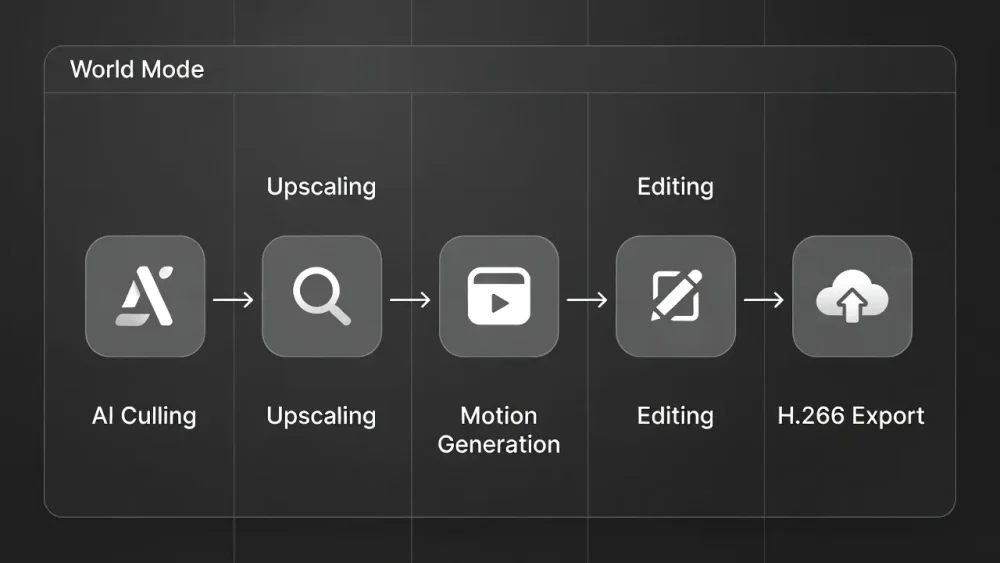
To ensure your slideshows look good not just today, but in 2030, follow this modern workflow:
- Cull with AI: Use an app like Aftershoot or the built-in AI in iOS Photos to remove duplicates and blurry shots. Don’t waste time reviewing 1,000 photos manually.
- Upscale & Restore: Before editing, run old photos through a tool like Magnific AI to upscale them to 4K. Slideshows are now viewed on 65-inch OLED TVs and VR headsets; pixelation is noticeable.
- The “Hero” Shot: Use Runway or Luma Dream Machine to turn your absolute best photo (the “Hero” shot) into a 4-second motion clip. Use this as your opener.
- Edit in Adobe Express/CapCut:
- Ratio: If for TV, go 16:9. If for social, go 9:16.
- Pacing: Keep slides between 0.5s and 2s. Anything longer than 3 seconds in 2026 feels like an eternity unless there is motion.
- Export in H.265 or H.266: Do not export in H.264 (MP4 old standard). It is inefficient. Use H.265 (HEVC) or H.266 (VVC) for the best quality-to-size ratio.
FAQ: Common Questions in 2026
Absolutely. Adobe Express and Canva both have “Magic Write” features. You can prompt: “Write a heartwarming voiceover script for a 50th wedding anniversary,” and they will generate the text. Some apps even offer AI voice synthesis to read it out.
Move away from MP4 (H.264). The industry standard for archiving is H.265 (HEVC) or the newer H.266 (VVC). These support 10-bit color (HDR) and occupy significantly less space.
Most social media apps compress photos. In 2026, ensure your source files are at least 8 megapixels. Use an “AI Upscaler” tool before importing them into your slideshow app if the originals are low-res.
Yes. Apps like Spatial Media Toolkit or Spatial Video Studio can take standard 2D photos from any camera and convert them into 3D Spatial Video using AI depth estimation.
Yes. DaVinci Resolve (iPad/Desktop) is free and powerful but complex. For mobile, Google Photos and Apple Photos (built-in) are the best watermark-free options. CapCut allows you to remove the watermark ending manually for free.
Final Verdict: Which App Should You Choose?
- Choose Adobe Express if you want a polished, professional result that stands the test of time.
- Choose CapCut if you want to be famous on TikTok by tomorrow morning.
- Choose Spatial Media Toolkit if you are an early adopter living in the future of VR.
The “best” app is the one that reduces the friction between your memories and the screen. In 2026, the technology has finally caught up to our imagination—now go create something beautiful.