Still holding cash but want to catch the latest crypto rally? In 2026, you don’t need a bank account to buy Bitcoin. Discover how CDReload by Crypto Dispensers CVS Pharmacy turns your local drug store into a secure crypto on-ramp in minutes.
For many investors, the barrier to entry isn’t the technology; rather, it is the funding method. Although traditional exchanges rely on bank wires, millions of unbanked individuals prefer physical currency. Consequently, services like CDReload have surged in popularity. By leveraging existing retail infrastructure, Crypto Dispensers allows you to walk into a familiar store and walk out with funded digital assets. In this guide, we will walk you through exactly how to load cash to Crypto Dispensers at CVS, ensuring you navigate the process without error.
What is CDReload by Crypto Dispensers?
Understanding the CDReload Service
CDReload is a proprietary service offered within the Crypto Dispensers ecosystem that functions as a seamless cryptocurrency cash on-ramp. Essentially, it allows users to deposit physical cash at participating retailers, which is then instantly credited to their digital account for trading. Unlike complicated wire transfers that can take days to clear, CDReload is designed for speed and accessibility. Therefore, it is the preferred choice for those engaging in unbanked crypto investing.
Furthermore, the service bridges the gap between physical fiat currency and the blockchain. When you utilize this feature, you aren’t buying crypto directly from the cashier; instead, you are loading your fiat balance, which you can subsequently use to make an instant crypto purchase within the app. This distinction is crucial because it simplifies the regulatory burden on the retailer while giving you total control over when to execute your trade.
The Partnership: Crypto Dispensers, InComm, and CVS
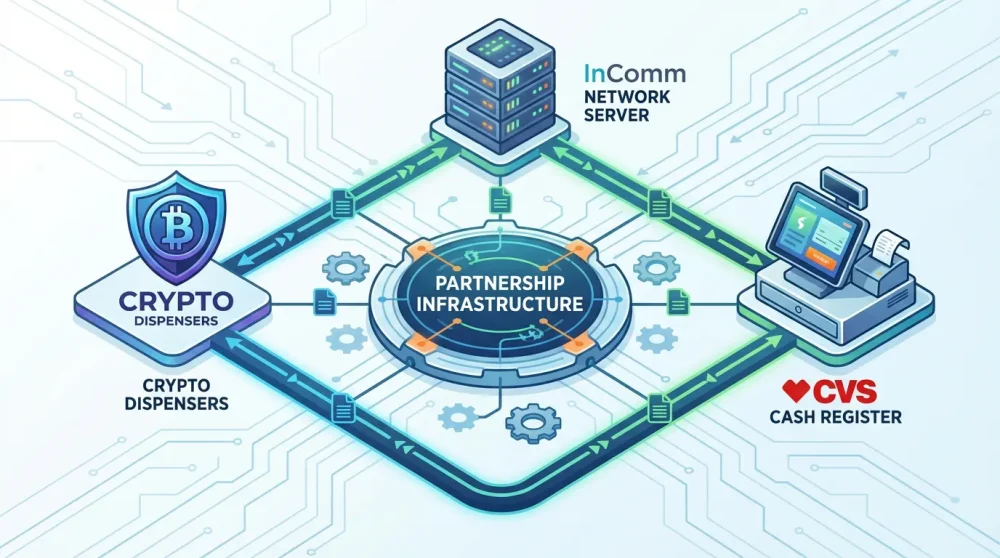
The magic behind this transaction is made possible through a strategic partnership involving the InComm payment network. InComm provides the backend infrastructure that connects the point-of-sale (POS) systems at CVS financial services counters directly to the Crypto Dispensers ledger. Because of this robust network, the cashier does not need to know anything about blockchain technology to help you.
Formula 1 Crypto com Miami Grand Prix 2026 Tickets: The Ultimate Buyer’s GuideMoreover, this partnership ensures reliability. Since CVS utilizes the Vanilla Direct Load system—a standard prepaid loading protocol—your transaction is processed using the same secure rails as a standard prepaid Visa or Mastercard top-up. As a result, the transaction is recognized instantly by the store’s system, reducing the likelihood of technical errors during the checkout process.
Supported Cryptocurrencies in 2026
As of 2026, the list of supported assets has expanded significantly beyond just Bitcoin. While many users still look to buy Bitcoin at CVS, the platform now supports a wider array of altcoins directly from your cash balance. You can now effortlessly diversify your portfolio with Ethereum, Litecoin, and various stablecoins immediately after your deposit clears.
In addition, the app interface has been updated to highlight these options. For example, if you are wondering can I buy Ethereum with cash at CVS, the answer is a resounding yes. Once your cash is loaded via CDReload, the in-app exchange allows you to swap that fiat balance for any supported asset within seconds, giving you the flexibility to react to market movements instantly.
Why Choose Cash Over Bank Transfers?
Privacy and speed are the two primary drivers for choosing cash. Although bank transfers are common, they often come with intrusive data sharing and multi-day hold periods. In contrast, a retail cash deposit crypto transaction offers a higher degree of financial privacy regarding the funding source, though KYC is still required for the app account itself.
Furthermore, bank freezes on crypto-related transactions are still a reality in 2026. Many banks block transfers to exchanges, citing risk management. By using cash at a digital currency dispenser touchpoint like CVS, you bypass these banking restrictions entirely. Consequently, you maintain full autonomy over your funds, ensuring that your investment opportunities are never blocked by a third-party financial institution.
Prerequisites: Setting Up Your Account
Downloading the Updated 2026 App
Before heading to the store, the first step is the Crypto Dispensers app download. In 2026, the application has undergone significant UI overhauls to support newer mobile operating systems. You must ensure you are running the latest version, as older versions may generate outdated barcodes that the CVS POS system will reject. Therefore, visit the iOS App Store or Google Play Store and check for updates manually if you haven’t enabled auto-updates.
Moreover, the new app version integrates real-time location services to help you find the nearest CVS with CDReload service. Without the updated app, you might miss out on critical notifications regarding system maintenance or fee changes. Thus, starting with the correct software foundation is non-negotiable for a smooth experience.
Completing KYC/AML Verification
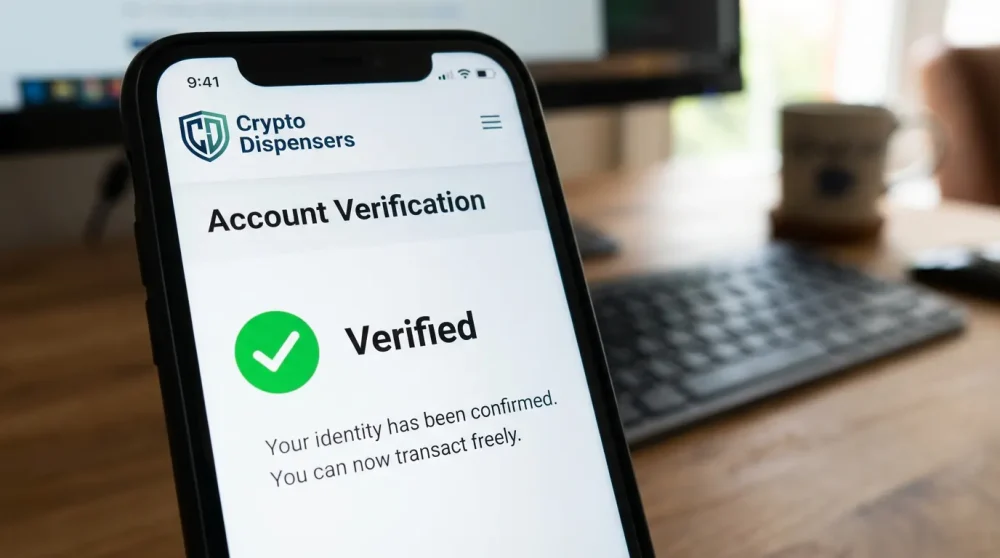
Although you are using cash, anonymity has its limits. To comply with federal regulations, you must complete the Know Your Customer (KYC) process. This involves uploading a valid government ID and a selfie. In 2026, this process is faster than ever, often utilizing AI verification to approve accounts in under five minutes. However, you cannot access the CDReload feature until this status is ‘Verified’.
Because CVS financial services are regulated, they cannot process anonymous financial loads. Consequently, attempting to generate a barcode without verification will result in an error message. It is best to complete this setup at home, rather than standing in the pharmacy aisle fumbling with your driver’s license.
Why Identity Verification is Mandatory in 2026
Regulatory scrutiny on the crypto sector has tightened significantly. In 2026, the requirement for identity verification prevents money laundering and fraud. While this might seem like a hassle for privacy advocates, it actually protects your funds. By linking your identity to your account, you ensure that if you lose your phone or access credentials, your funds can be recovered.
In addition, verified accounts enjoy higher limits. Unverified users—if allowed at all—would be restricted to negligible amounts that make investing impractical. Thus, submitting your ID is the gateway to unlocking the full potential of crypto wallet funding through retail channels.
Linking a Non-Custodial vs. Custodial Wallet
Crypto Dispensers offers flexibility in how you store your assets. You can choose to keep funds in the app’s custodial wallet for easy trading, or link an external non-custodial wallet. If you prefer self-custody, you must set this up before your deposit. This ensures that once the cash is loaded and converted, you can withdraw it to your private keys immediately.
However, be aware of network fees associated with external withdrawals. If you plan to move funds immediately, ensure your deposit covers both the investment amount and the gas fees. On the other hand, keeping funds in the custodial wallet allows for fee-free internal swaps, which might be preferable for active traders.
Step-by-Step Guide: Depositing Cash at CVS
Step 1: Locating a Participating CVS Pharmacy
Not every CVS location supports the Vanilla Direct Load network. Therefore, you should use the map feature within the Crypto Dispensers app to locate a participating store. The app filters for locations specifically enabled for CDReload. Simply typing ‘CVS’ into Google Maps is not enough; you must verify that the specific branch processes these financial transactions.
Once you have identified a store, check the hours of operation. While many CVS stores are open 24/7, the financial service desk or the ability to process reloads might be limited to certain hours depending on staffing. Consequently, a quick call to the store could save you a wasted trip.
Step 2: Generating Your Unique Barcode
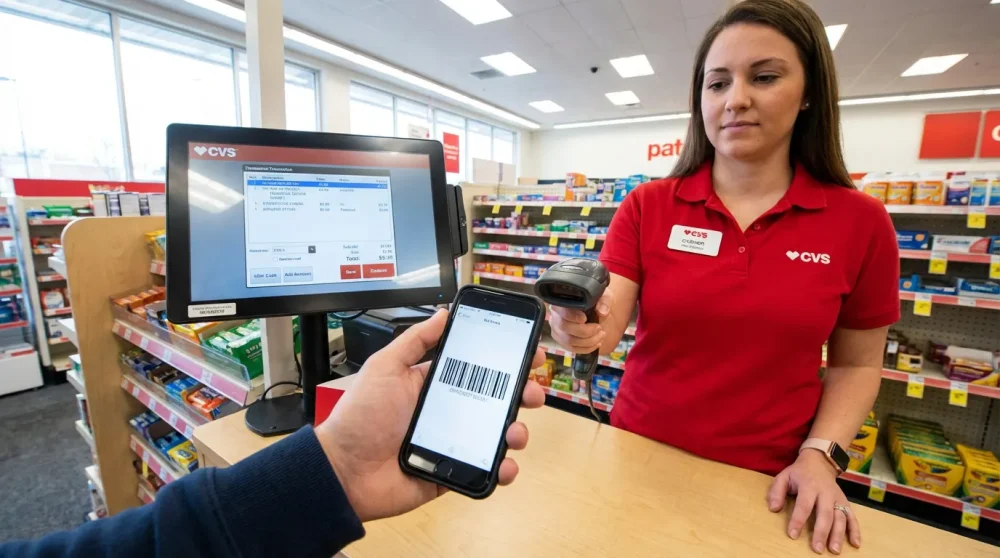
When you arrive at the store, open the Crypto Dispensers app and select ‘Deposit Cash’. Choose ‘CVS Pharmacy’ from the retailer list. Enter the exact amount of cash you intend to deposit. This is critical because the barcode is often tied to the specific requested amount. Once confirmed, the app will generate a unique barcode.
Do not screenshot this barcode hours in advance. These barcodes often have expiration timers (usually 15 to 60 minutes) for security reasons. Thus, generate it only when you are in the store or the parking lot. If the barcode expires, the transaction will decline, and you will need to restart the process.
Step 3: Interacting with the Cashier
This is the step where most users face friction. Cashiers may not be familiar with ‘CDReload’ or ‘Crypto Dispensers’ by name. If you say, ‘I want to load my crypto account,’ they might look at you with confusion. Instead, use the industry-standard terminology.
The Script: Tell the cashier, “I need to do a Vanilla Direct Load to my account. Please scan this barcode.” If they are still unsure, ask them to select ‘Universal Reload’ on their register screen. This specific phrasing usually triggers the correct menu on the CVS POS system, allowing them to scan your phone without issue.
Step 4: Completing the Transaction
Hand your cash to the cashier. In 2026, most locations still require physical bills and do not accept credit cards for these types of financial loads to prevent chargeback fraud. Ensure you have the exact amount plus the retailer convenience fee (usually around $4.95) ready.
Once the cashier scans the barcode and accepts the cash, the register will print a receipt. Do not leave the counter until you have this receipt in your hand. It contains a unique transaction ID that is your only proof of payment if the funds fail to appear automatically.
Step 5: Confirming Funds in the App
Typically, the funds should appear in your Crypto Dispensers account within minutes. Open your app and refresh the balance screen. You should see a notification confirming the deposit.
However, network delays can occasionally occur. If the balance doesn’t update within 10 minutes, check the status of the transaction in your history tab. If it remains pending, do not panic; the system is likely just finalizing the handshake between the InComm network and the crypto platform.
Fees, Limits, and Processing Times (2026 Update)
Current Service Fees Breakdown
Understanding the Crypto Dispensers CVS fee schedule 2026 is vital for calculating your net investment. Generally, there are two fees involved: the retailer fee and the platform fee. CVS typically charges a flat convenience fee, which has adjusted for inflation to approximately $4.95 per transaction in 2026. This is paid directly to the cashier on top of your deposit amount.
In addition to the retail fee, Crypto Dispensers may charge a small percentage of the load amount. While this is often lower than credit card processing fees, it is important to review the fee confirmation screen in the app before generating your barcode. Therefore, always account for roughly $5-$10 in total fees when planning your deposit.
Retailer Fees vs. Network Fees
It is important to distinguish between what CVS charges and what the crypto network charges. The $4.95 is purely for the service of handling cash—this goes to the retailer and the InComm network. Meanwhile, if you immediately convert that cash to Bitcoin, you will incur standard network (mining) fees and exchange spreads.
Consequently, small deposits can be inefficient. For example, depositing $20 and paying a $5 fee results in a 25% immediate loss. To maximize value, users should aim to deposit larger amounts to dilute the impact of the flat retailer fee. This makes CDReload fees 2026 much more palatable for deposits over $200.
Minimum and Maximum Daily Deposit Limits
For security and compliance, there are strict limits on how much cash you can load. The BTC deposit limit CVS usually imposes is $500 to $999 per transaction per rolling 24-hour period. In 2026, some users with higher tier verification may see limits up to $1,500, but this varies by state regulations.
Furthermore, there is often a minimum deposit amount, typically $20. Attempting to deposit less than the minimum or more than the maximum will cause the register to reject the transaction. Always check your specific account limits in the ‘Settings’ tab of the app before heading to the store.
Monthly Rolling Limits
Beyond daily limits, there are monthly caps to prevent money laundering. A standard user might be capped at $5,000 or $10,000 in cash loads per month. If you are a heavy volume trader, you may need to supplement your cash deposits with bank transfers.
Moreover, these limits are rolling, not based on the calendar month. This means if you deposit $1,000 on the 25th, that limit frees up again on the 25th of the following month. Keeping track of this prevents awkward situations where your transaction is declined at the counter due to hitting a velocity limit.
Speed of Settlement: Instant vs. Delayed
One of the main advantages of this method is the promise of instant availability. In 95% of cases, funds are available for trading immediately after the cashier hands you the receipt. This ‘Instant Credit’ feature allows you to buy the dip in real-time.
However, in rare instances where the network is congested or a transaction is flagged for security review, a delay of up to an hour can occur. While frustrating, this is a safety mechanism. If funds are not available after 24 hours, you must contact support with your receipt. But generally, this remains the fastest cash to crypto method available.
Troubleshooting Common Issues at the Register
Barcode Not Scanning on Phone Screen
A frequent issue is the cdreload barcode not working at cvs simply due to screen brightness. Retail laser scanners struggle to read codes on dim screens. Therefore, before you present your phone, turn your brightness up to 100%.
Additionally, ensure your screen is not cracked over the barcode area. If the scanner still fails, expand the barcode to full screen if the app allows, or try rotating your phone to landscape mode. Sometimes, the angle of the scanner gun is the culprit.
Cashier ‘System Not Recognized’ Error
If the cashier gets an error saying the system is not recognized, it is almost always because they are in the wrong menu. Politely ask them to back out to the main screen and select ‘Financial Services’ or ‘Reload’. Remind them to look for Vanilla Direct Load on their screen.
Furthermore, newer employees may not have been trained on these specific transactions. If the cashier is struggling, ask if a manager is available. A manager will usually recognize the process immediately as a standard prepaid load, resolving the issue quickly.
Transaction Declined by Network
A decline can happen if your Crypto Dispensers account is flagged or if you have exceeded your limits. If the register says ‘Declined’, do not try to scan it five more times; this will only lock your account further. Instead, step aside and check your app for notifications.
In some cases, the decline is due to a mismatch in amounts. If you generated a barcode for $100 but try to hand the cashier $150, the system will reject it. You must generate a new barcode that matches the exact cash amount you are handing over.
Funds Not Showing Up After 30 Minutes
If you have left the store and the funds are not there, the first step is to check your receipt. Verify that the transaction status on the paper slip says ‘Approved’. If it does, take a clear photo of the receipt immediately.
Next, contact Crypto Dispensers support through the app. Provide the Transaction ID and the photo of the receipt. In 2026, their support systems are integrated with InComm’s tracking, allowing them to locate ‘stuck’ funds quickly and manually credit your account.
App Crashing During Barcode Generation
Software glitches happen. If the app crashes right as you try to generate a barcode, force close the app and clear your cache. Ensure you have a stable internet connection inside the store—pharmacies often have thick walls that block cell signals.
If the app refuses to load, connect to the CVS guest Wi-Fi. A stable connection is required to communicate with the server to generate a valid, time-sensitive secure token for the barcode. Without data, the app cannot generate the code.
Safety and Security Best Practices
Avoiding Social Engineering Scams
A common scam in 2026 involves fraudsters asking you to send them a screenshot of your barcode to ‘verify’ a payment. Never send your CDReload barcode to anyone. The barcode is a deposit slip; if someone else has it, they can potentially use it to launder money or confuse transaction tracking, though they cannot withdraw your funds with it.
More importantly, scammers may claim they need you to deposit cash to ‘unlock’ a prize. Remember, this service is strictly for funding your own investment account. If someone on the phone is guiding you to the CVS to deposit cash, it is likely a scam.
Physical Safety Carrying Cash
When you use a bitcoin kiosk alternative like CDReload, you are carrying significant amounts of cash. Be discreet. Do not count your money in the parking lot or openly display large wads of bills at the counter.
Furthermore, try to visit the store during daylight hours or when it is well-populated. While CVS stores are generally safe, carrying $900 in cash makes you a target. Treat the transaction with the same caution you would use when leaving a bank.
Verifying the App Source
Ensure you are using the legitimate Crypto Dispensers app. In 2026, fake ‘phishing’ apps that look identical to the real ones can appear in third-party app stores. These fake apps generate barcodes that send money to the scammer’s account, not yours.
Always download directly from the official Apple App Store or Google Play Store. Check the developer name and review count. If the app asks for your seed phrase or private keys during the deposit setup, delete it immediately—it is a fake.
Two-Factor Authentication (2FA) Settings
Security doesn’t stop at the deposit. Once your funds land, they are digital. You must have Two-Factor Authentication (2FA) enabled on your Crypto Dispensers account. Use an authenticator app (like Google Auth or Authy) rather than SMS 2FA, which is susceptible to SIM swapping.
This ensures that even if someone watches you enter your PIN at the store, they cannot access your funds from another device. Protecting your account is just as important as protecting your cash.
Alternatives to CVS for CDReload
Other Participating Retailers (Walgreens, 7-Eleven, etc.)
If your local CVS is offline or closed, you are not out of luck. The CDReload network extends to other major chains. Frequently, stores like Walgreens, 7-Eleven, and Family Dollar also participate in the InComm and Vanilla Direct networks. The process is nearly identical: generate the barcode in the app, but select the specific retailer you are visiting to ensure the barcode format is correct.
However, fees may vary slightly by retailer. While CVS is consistent, independent convenience stores may have different surcharge policies. Always check the retailer selector in the app for the most up-to-date list of participating retailers in your area.
Bitcoin ATMs vs. Retail Counters
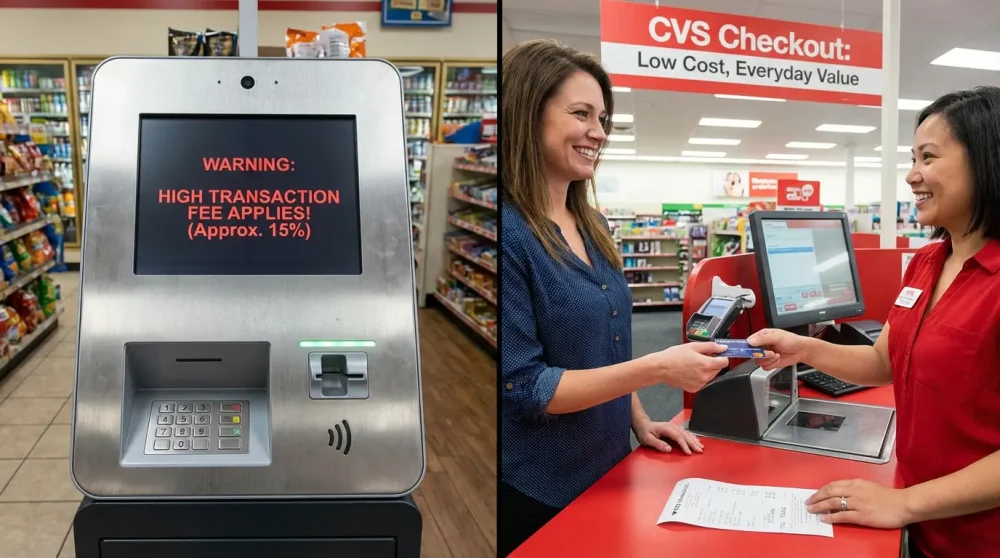
Many users wonder if they should just use a Bitcoin ATM (BTM). While BTMs are ubiquitous, they are often much more expensive. BTM fees in 2026 can range from 12% to 20% over the market price. In contrast, the CDReload fees 2026 structure (flat fee + small %) is usually significantly cheaper for amounts under $1,000.
Moreover, BTMs often require standing in front of a machine feeding bills one by one, which can be conspicuous. A retail counter transaction is faster and feels like a normal purchase, offering a better user experience for those who value discretion.
Pros and Cons of CDReload vs. Debit Card Purchases
Why not just use a debit card in the app? Debit cards are convenient but often trigger fraud alerts from banks when used for crypto. They also leave a permanent paper trail on your bank statement. CDReload offers a layer of separation between your bank and your crypto investments.
On the downside, CDReload requires physical travel to a store. If you need to buy immediately and cannot leave your house, a debit card is superior. But for those prioritizing unbanked crypto investing or privacy, the extra effort of driving to CVS is a worthy trade-off.
Frequently Asked Questions
How do I generate a CDReload barcode for CVS on the Crypto Dispensers app?
To generate a barcode, log in to the Crypto Dispensers app, navigate to the ‘Deposit’ section, and select ‘Cash Deposit’. Choose ‘CVS Pharmacy’ as your retailer, enter the exact cash amount you wish to load, and tap ‘Generate Barcode’. This code is valid for a limited time, so create it only when you are near the store.
What are the fees for using CDReload at CVS in 2026?
In 2026, you can expect to pay a retailer convenience fee of approximately $4.95 at the register. Additionally, Crypto Dispensers may charge a platform fee (typically around 1-2% depending on market conditions). Always review the final fee summary in the app before confirming the transaction.
Is ID verification (KYC) required before depositing cash at CVS?
Yes, KYC is mandatory. You cannot use CDReload without a verified account. This involves submitting a government-issued ID and a selfie through the app to comply with federal anti-money laundering regulations. This protects both you and the network from illicit activity.
What is the daily cash deposit limit for CDReload?
The standard daily limit typically ranges between $500 and $999 per rolling 24-hour period. This limit is set by both the retailer’s POS system and the app’s compliance tier. Higher limits may be available for users who have completed advanced verification steps, but retail locations rarely accept more than $999 in a single transaction.
How long does it take for the funds to appear in my account?
Funds usually appear instantly or within minutes of the cashier completing the transaction. In rare cases of network congestion, it may take up to an hour. Always keep your physical receipt until the funds are visible in your app balance.
Can I use a credit card at the register instead of cash for CDReload?
No, you cannot use a credit card to fund a CDReload transaction. CVS and other retailers require these financial service transactions to be settled in cash to prevent chargebacks and credit card fraud. You must have physical currency on hand.
What do I do if the CVS cashier doesn’t know how to scan the barcode?
If the cashier is confused, instruct them to select ‘Universal Reload’ or ‘Vanilla Direct Load’ on their register screen. This is the underlying system that powers CDReload. Once they are in that menu, scanning your barcode should process the transaction smoothly.