

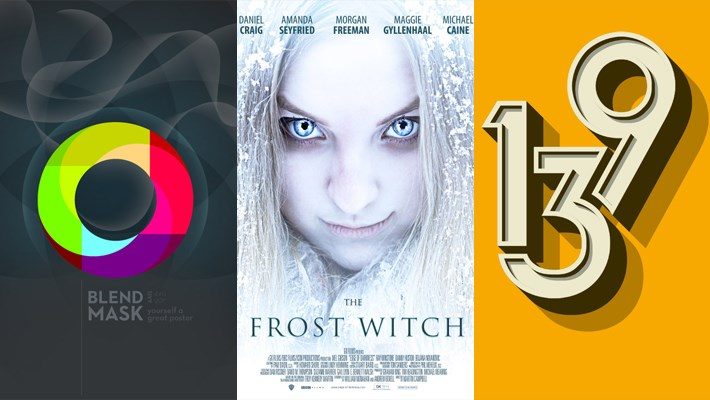
Poster Design Tutorials for Photoshop Will Posted and i hope our reader will like these Tutorials.
Creating of creative poster design requires a lot of hard work, dedication and much more than one draft to be able to the perfect poster. It’s not always easy to design such a poster, In fact it’s a lengthy procedure. First of all, thinking about a concept to bottom your poster on is going to take a lot of brainstorming and may take time to decipher. Once it’s done, collecting what just about all needs to go into the poster. Images, articles and later editing that will to fit the poster would certainly become a Tuff job. You must have patient during this whole procedure as you will indeed enjoy the fruits of achievement.
Photoshop allows designers to generate amazing posters that can be used to get a variance or purposes such as movie promos, product promotions, event promos as well as simply for fun and practice. There are a lot of high quality tutorials out there that educate the process of designing a poster in Photoshop. In this post we’ll gather 20 Poster Design Tutorials. These tutorials surely help you to increase your knowledge and your projects as well.
My ‘Tour de France’ posters

Design a Professional Wildlife TV Show Poster

Combine Stock Photography to Create an Abstract Poster Layout

Create a Hellboy Poster in Illustrator
 10 Most Addicting Apps Ever – Infographic
Creating a Spectrum Poster Design in Photoshop

Design a Retro Inspired Sci-Fi Film Poster

Design a Swiss Style Music Festival Poster in Photoshop

Create a Dramatic Film Poster in 5 Minutes Using Photoshop
 One Point Perspective Collection
How to Design a Geometric Poster in Photoshop

Blend and Mask Yourself a Great Poster

Create a Dramatic Western Style Movie Poster in Photoshop

Create a 50s ad poster in Illustrator
 Amazing Abandoned Places in the World
Make a Retro Space Themed Poster in Photoshop

Create a Refreshing Beer Themed Poster Design in Photoshop

Create an Inspirational Vector Political Poster

Photoshop tutorial: Create abstract poster effects
 Stop Motion Video | If You Give a Child a Pencil
How To Create a Tessellating Geometric Poster Design

Adobe Illustrator & Photoshop tutorial: Create retro poster art

Making a Superhero Movie Teaser Poster



Nahidul Ehsan
•Awesome tutorial collection. I am going through one after another. It has been a great design knowledge source for me. All the posters are so creative and amazing.