

Have you ever sat through a presentation that felt long, boring, or even confusing? If you have, you’re not alone! Many people struggle to stay focused when a presentation is just someone talking with slides. That’s why making your presentation interactive is so important.
Interactive presentations get the audience involved. When people participate, they pay more attention and remember more. This article will show you 10 interactive ideas for a presentation simple and effective ways to make your next presentation fun, memorable, and engaging.
1. Icebreaker Activities
Icebreakers are short activities or questions at the start of your presentation. They help everyone feel comfortable and ready to participate.
Examples of Icebreakers
- Two Truths and a Lie: Ask each person to say two true things and one false thing about themselves. Others guess which is the lie.
- Quick Poll: Ask a fun question like “What’s your favorite pizza topping?” and have people raise their hands or answer in chat.
- Would You Rather: Give two silly choices, like “Would you rather fly or be invisible?” Ask for a show of hands.
Icebreakers break the ice (making people feel relaxed) and set a friendly tone.
2. Live Polls and Surveys
Polls and surveys empower your audience to provide immediate feedback. This makes them feel included.What if AI could recreate any Hollywood blockbuster but with you as the lead actor in seconds?
Using Technology
There are many tools for live polls, such as:
- Kahoot!
- Mentimeter
- Slido
- Poll Everywhere
You can ask questions like:
- “How much do you know about today’s topic?”
- “Which solution would you choose?”
When people see their answers on the screen, they get excited to participate more.
3. Q&A Sessions Throughout
Don’t wait until the end for questions! Instead, stop every few slides to ask if anyone has questions or thoughts.10 Secret Tips on How to Get Audience Attention in a Speech Quickly
Tips for Smooth Q&A
- Tell people at the start that they can ask questions any time.
- Use chat boxes or sticky notes if online.
- Pause after important points and say, “Any questions so far?”
This keeps everyone alert because they know they might join in at any moment.
4. Group Discussions
Instead of just talking at your audience, let them talk, too.
How to Do Group Discussions
- Divide the audience into small groups (in-person or using breakout rooms online).
- Give each group a topic or question.
- After five minutes, ask each group to share what they talked about.
For example, if you’re teaching about recycling, groups could discuss ways to recycle at home.
Group discussions let people learn from each other and feel like part of the presentation.Top Customer Relationship Management Challenges & Solutions
5. Gamification
Gamification means adding games or friendly competition to your presentation.
Quiz Ideas
- Utilize engaging quiz platforms such as Kahoot! or Quizizz.
- Give points for correct answers.
- Show a leaderboard after each round.
Reward Ideas
Offer prizes like stickers, virtual badges, or a shout-out for winners.
Games make learning fun and motivate people to pay attention.
6. Interactive Visuals
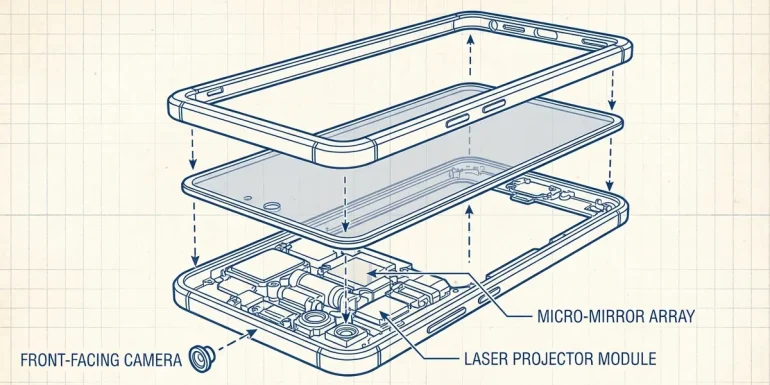
Slides can be engaging and dynamic! Use visuals that people can interact with.What if the next iPhone features a built-in holographic projector for 3D FaceTime calls and gaming?
Examples
- Clickable Slides: Let people choose what topic comes next by clicking.
- Infographics: Show information in pictures instead of words.
- Animations: Use moving graphics to explain ideas (like how blood moves through the heart).
Interactive visuals capture the audience’s attention on your slides and effectively clarify complex concepts.
7. Storytelling with Audience Involvement
Everyone enjoys stories. You can make your stories even better by involving your audience.
How To Do It
- Ask people to share their own stories about the topic.
- Start telling a story and let the audience help finish it.
For example, if presenting about teamwork, ask: “Has anyone had a great team experience?” Invite someone to tell their story.
Stories create strong memories and make your message stick.How to Handle Stage Fright Public Speaking: 6 Easy Tips
8. Hands-On Demonstrations or Activities
Doing something is one of the best ways to learn.
Examples
- Live Demo: Show how something works and ask the audience to try it.
- If teaching origami, do it step by step while they follow along.
- Role Play: Let volunteers act out a scenario.
- In a safety training, pretend someone is hurt and have others explain what to do.
Hands-on activities turn your presentation into an experience, not just a talk.
Fact: People remember 90% of what they do compared to only 20% of what they hear (National Training Laboratories).
9. Real-Life Scenarios and Case Studies
Bring your topic to life with real examples.
How To Use Scenarios
Present a real problem and let the audience suggest solutions.
Example: “Imagine you are in charge of a store that’s losing money. What would you do?” Guide the group as they discuss options and pick the best plan together.
Discussing real-life situations helps people see how your topic applies outside the classroom.
10. Use Audience Voting for Decisions
Letting your audience vote on certain decisions during your presentation can increase engagement and ownership of the outcome. This method makes everyone feel their opinion matters and can guide parts of your session based on popular choices.
How It Works
- Decision Points: During your talk, present two or more options (e.g., which topic to explore deeper or which solution seems best).
- Voting Tools: Use hands-up voting in person, colored cards, or digital tools like Mentimeter, Poll Everywhere, or Zoom polls.
- Instant Feedback: Display results immediately so everyone sees how the group feels.
Example: If you’re discussing ways to save energy at home, present three strategies and have everyone vote on which one they’d most likely try first. Then go into more detail about the top choice.
This approach not only keeps participants involved but also tailors your content to what interests them most. Audience voting is an excellent addition to the set of interactive ideas for a presentation that make sessions lively and responsive.
Conclusion
Interactive presentations are more fun and help people remember what they learn. By using icebreakers, live polls, group activities, games, stories, visuals, hands-on demos, real-life scenarios, and voting activities, you can turn any boring talk into something special.
Try adding at least one of these 10 interactive ideas for a presentation next time you present your audience will thank you!
Key Takeaways:
- Getting your audience involved increases attention and learning.
- There are many easy ways—like polls, games, stories, activities, scenarios, and voting—to make your presentation interactive.
- Always keep things simple and fun!
Now go ahead and make your next presentation one everyone will remember!
These posts are super helpful for getting your presentation ready!