

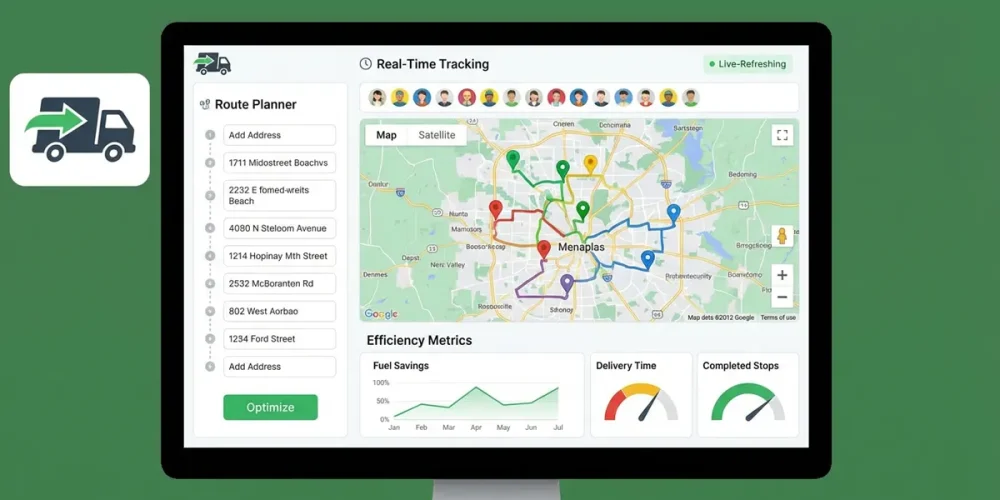
Running a small courier business is a constant battle against the clock. Every minute your drivers spend stuck in traffic or backtracking to a missed stop bleeds profit from your bottom line. In 2026, the difference between a struggling local courier and a profitable logistics operation isn’t just hard work—it’s the software that powers your fleet.
For small businesses, “enterprise-grade” logistics tools are often too expensive and complex. You need a solution that balances power with simplicity—software that integrates with your Shopify store, sends automatic ETAs to customers, and keeps your drivers happy, all without breaking the bank.
This ultimate guide ranks the best route optimization software for small courier businesses, dissecting their pricing, “hidden” features, and real-world performance to help you secure the number one spot in your local market.
Why Small Courier Businesses Can’t Rely on Google Maps
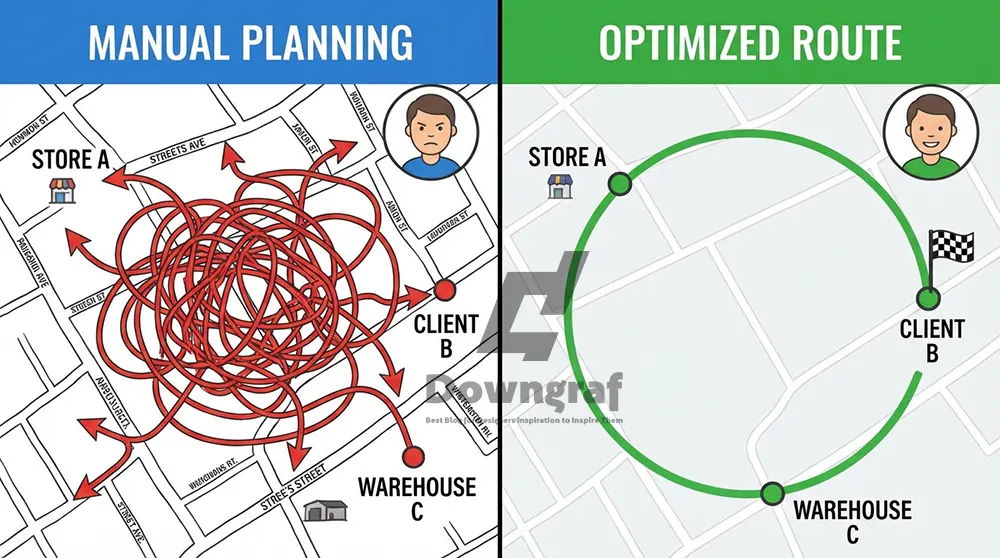
If you are still using free tools like Google Maps or Waze for multi-stop deliveries, you are voluntarily capping your growth. While excellent for getting from Point A to Point B, these apps fail when you need to hit Points C, D, E, and Z in the most efficient order.
The “Traveling Salesman” Problem
Free navigation apps do not solve the “Traveling Salesman Problem”—the complex mathematical challenge of finding the shortest possible route between multiple cities. They simply route you in the order you entered the addresses.What Fonts Does Instagram Use? (The 2026 Definitive Guide)
- The Result: Your drivers backtrack, cross their own paths, and waste hours of fuel and time.
- The Fix: Dedicated route optimization software uses algorithms to reshuffle stops, often reducing driving time by 20-30% instantly.
Top 5 Route Optimization Software for Small Businesses
We have analyzed the market leaders specifically for small fleets (1–20 drivers). These picks prioritize ease of use, affordability, and essential integrations for modern courier ops.
| Software | Best For | Pricing Model | Key Feature |
|---|---|---|---|
| Circuit for Teams | Overall Best | Per Driver | “Package Finder” for faster drops |
| Routific | Local Delivery | Per Vehicle | Best-in-class Optimization Algorithm |
| Zeo Route Planner | E-commerce | Per Seat | Native Shopify & WooCommerce Integrations |
| Upper Route Planner | Growing Fleets | Per User | Enterprise features at small biz price |
| Route4Me | Customizability | Modular | Marketplace of add-ons |
1. Circuit for Teams: The Driver-First Choice
Best for: Businesses that want to eliminate delivery errors and speed up drop-off times.
Circuit for Teams has rapidly become a favorite for small courier businesses because it solves a specific pain point: finding the package in the van. Their “Package Finder” feature allows drivers to mark where a package is loaded (e.g., “Front Left,” “Shelf 2”), significantly reducing time spent rummaging at the curb.
Key Features
- Package Finder: As mentioned, this is a game-changer for new drivers.
- Customer Notifications: Automatic SMS and email updates with accurate ETAs.
- Proof of Delivery (POD): Capture photos and signatures directly in the app.
Pricing
Circuit uses a tiered pricing model.How To Transfer Facetime From iPhone To MacBook
- Starter: ~$100/month (includes first driver).
- Essentials: Includes optimized routing but lacks some advanced notifications.
- Standard: Adds POD and customer notifications.
- Note: Pricing can get steep as you scale, so calculate your per-driver cost carefully.
Pros & Cons
- + Extremely user-friendly mobile app.
- + Great for reducing “time-at-stop.”
- – Can be more expensive than competitors for very small teams (1-2 drivers) due to base platform fees.
2. Routific: The Efficiency Engine
Best for: Local delivery businesses (florists, bakeries, meal prep) with planned routes.
Routific is famous for its algorithm. While many apps “optimize,” Routific’s engine is widely cited as producing the most logical, fuel-efficient routes that human drivers actually trust. It avoids the “spaghetti routes” that look good on a computer but are impossible to drive.
Key Features
- Smart Dispatch: Drag-and-drop unassigned stops to drivers with a single click.
- Driver Friendly: Routes prioritize minimizing left turns and avoiding dangerous U-turns.
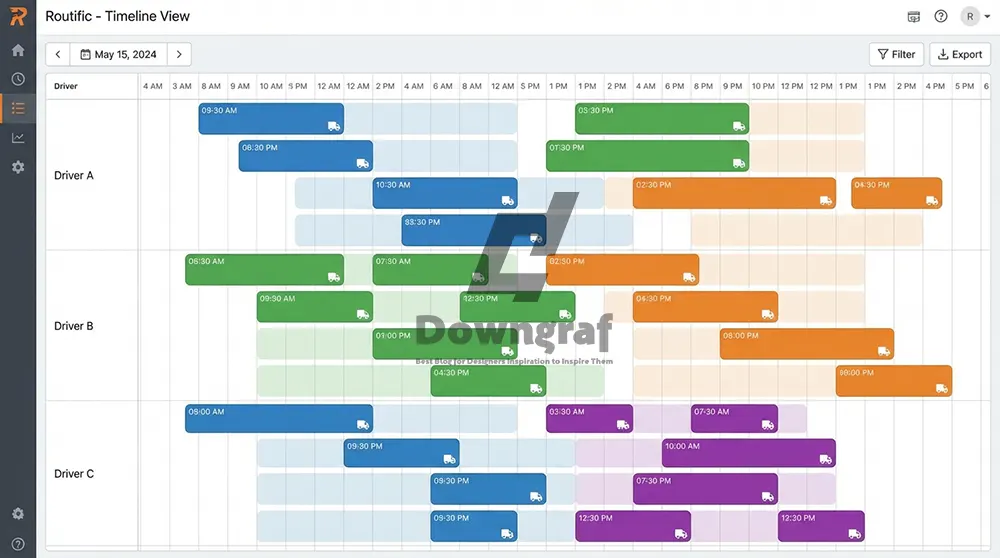
- Timeline View: Visualizes the entire day’s schedule, making it easy to spot gaps or overloads.
Pricing
- Essentials: ~$49 per vehicle/month. Covers core optimization.
- Professional: ~$69 per vehicle/month. Adds live tracking and POD.
- Pricing Structure: Per-vehicle pricing is excellent for businesses with a stable fleet size.
Pros & Cons
- + Superior routing logic saves maximum fuel.
- + Very intuitive browser-based dispatcher interface.
- – Lacks some of the native “one-click” e-commerce integrations found in Zeo or Upper (often requires CSV upload).
3. Zeo Route Planner: The E-commerce Integrator
Best for: Couriers integrating directly with Shopify, WooCommerce, or HubSpot.
If your courier business services e-commerce clients or runs its own online store, Zeo is a top contender. It distinguishes itself with native integrations. You don’t need Zapier to connect your Shopify store; Zeo pulls orders directly, assigning them to drivers automatically.The Best 4K Video Editing Software Free: Top Picks for 2024
Key Features
- Native Integrations: Direct sync with Shopify, WooCommerce, and Magento.
- Skill-Based Assignment: Assign stops based on driver skills (e.g., “Heavy Lifting,” “English Speaking”).
- Navigation Flexibility: Drivers can choose their preferred nav app (Google Maps, Waze, Apple Maps, TomTom).
Pricing
Zeo offers a “seat-based” price, often starting around $15/month per driver (varies by region and currency), making it one of the most affordable options for startups.
Pros & Cons
- + Highly affordable entry point.
- + Seamless e-commerce data flow (no CSVs needed).
- – Interface is functional but less “polished” than Circuit or Onfleet.
4. Upper Route Planner: The “No Hidden Fees” Option
Best for: Small fleets (3-10 vehicles) that need enterprise features on a budget.
Upper markets itself on transparency and ease of scale. It offers features typically reserved for enterprise software—like detailed reports and automated customer logic—at a flat rate that is easy to budget for.
Key Features
- Excel/CSV Import: One of the fastest bulk upload tools in the industry.
- One-Click Dispatch: Send optimized routes to drivers’ emails or phones instantly.
- Proof of Delivery: comprehensive electronic POD with notes and photos.
Pricing
- Essential: ~$32/month per driver (billed annually).
- Growth: ~$40/month per driver.
- Verdict: Very competitive for the feature set provided.
Pros & Cons
- + Excellent reporting tools to analyze driver performance.
- + Simple, transparent pricing structure.
- – Fewer “bell and whistle” features like barcode scanning compared to premium tiers of competitors.
5. Route4Me: The Modular Powerhouse
Best for: Niche businesses requiring high customization (e.g., specific vehicle types, complex territories).How Can a DevOps Team Take Advantage of Artificial Intelligence?
Route4Me is the “Lego set” of route optimization. You start with a base platform and add modules. This is great if you have unique needs (like avoiding left turns for big trucks or creating complex sales territories) but can get pricey if you aren’t careful.
Key Features
- Marketplace: Hundreds of add-ons to customize the software.
- Voice-Guided Navigation: In-app turn-by-turn directions (extra module).
- Left-Turn Avoidance: Critical for larger delivery vehicles.
Pricing
Pricing is complex and modular. Base packages often start around $200/month for a team, but add-ons can double that. It is generally the most expensive option on this list for small businesses but offers the highest ceiling for complexity.
Pros & Cons
- + Unmatched customizability.
- + Extremely powerful routing constraints.
- – Interface can feel cluttered.
- – Costs scale up quickly with add-ons.
Critical Features Checklist for Small Businesses
Before you swipe your credit card, run your chosen software through this checklist. If it’s missing more than one of these, keep looking.
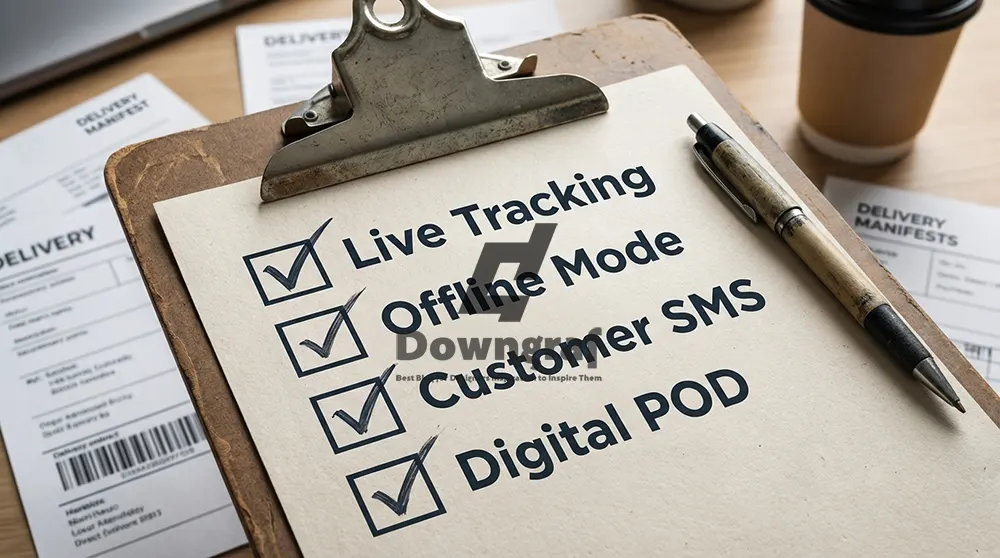
- Mobile App Reliability: Does it work offline? Drivers will lose signal. The app must store the route locally.
- Live Tracking: Can you see where your drivers are right now? This is non-negotiable for answering customer “Where is my package?” calls.
- Customer Notifications: The software should email or text the customer when the driver is 15 minutes away. This drastically reduces “Failed Delivery” attempts.
- Easy Import: If you have to manually type addresses, you are wasting time. Look for “Upload CSV/Excel” or direct integration.
- Proof of Delivery (POD): In 2026, a paper signature is not enough. You need a digital timestamp and photo to fight chargebacks.
The “Hidden Costs” of Cheap Routing Software
Be wary of “Free” or extremely cheap apps. Here is where they usually hide the costs:7 Best Agentic AI Platforms for Automating SMB Workflows
- Stop Limits: Many free tiers cap you at 10 or 20 stops. A real courier route needs 50–100+.
- Data Retention: Cheap plans often delete your history after 30 days, making it impossible to analyze long-term driver performance.
- Support: When your driver is stuck at 7 AM and the app crashes, you need a phone number or live chat. Budget tools often rely on email support with 24-hour response times.
FAQ: Route Optimization for Couriers
For a completely free option, Google Maps allows up to 10 stops, but it does not optimize the order efficiently. MapQuest allows up to 26 stops. However, for professional courier work, free tools will cost you more in fuel and time than a paid subscription.
For small businesses, expect to pay between $30 and $60 per driver, per month. Some platforms charge a flat base fee (e.g., $100) plus a smaller per-driver fee.
Yes. Zeo Route Planner and Circuit for Teams offer excellent Shopify integrations. Upper Route Planner also supports it. These integrations automatically pull orders from your store into the delivery route.
Yes, all the top paid options (Circuit, Routific, Zeo, Upper, Route4Me) offer live GPS tracking. You can view your fleet on a map dashboard and see exactly where they are along their route.
Waze is excellent for navigation (avoiding traffic between two points) but it is not a route planner. It cannot reorder 50 stops to find the fastest path. Professional drivers often use a route planner (like Circuit) to manage the list of stops, but click a button to launch Waze for the actual driving directions.
Most small courier businesses report a 20-30% reduction in fuel costs and a 20% increase in delivery capacity. This means a driver who used to do 40 drops a day can now comfortably do 50, paying for the software in just a few days.